Appearance
Posting an offer
Post your own offer when you want a specific price, or when nobody is offering what you want yet.
Create it
Click New offer (or "post your own offer" on a market's page, which fills in the market for you). Paste a Polymarket market link if needed and pick the outcome. The book on the right shows what's already on offer for that outcome, so you can price against it.
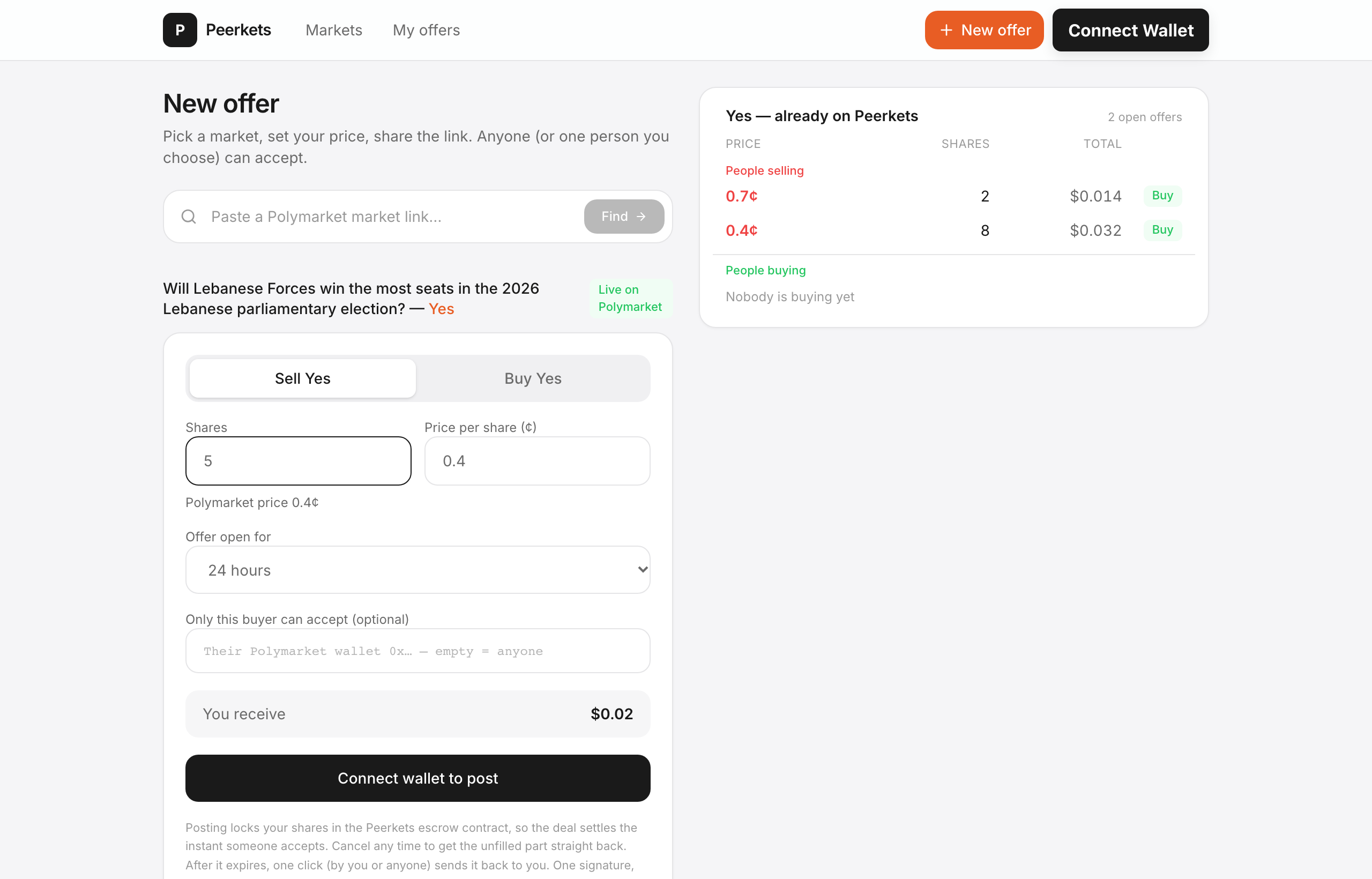
| Field | What it means |
|---|---|
| Sell / Buy | Sell shares you hold, or bid to buy shares with pUSD |
| Shares | How many shares in total. Others can fill part of it. |
| Price per share (¢) | Your price, in cents (1–99¢). Polymarket's current price is shown for reference. |
| Offer open for | 1 hour to 30 days. After that, nobody can fill it. |
| Only this buyer can accept | Optional: a wallet address. Leave empty for anyone. |
Click Post offer and confirm in your wallet. That's one signature — no approvals.
What happens when you post
Your side is locked in the Peerkets escrow contract — the shares for a sell offer, or the pUSD for a buy offer. That's what lets the deal settle the instant someone accepts. You can cancel at any time to get the unfilled part straight back.
After posting you land on the offer's deal page, with buttons to share it.
Tips
- No fees. You receive (or pay) exactly your price × shares.
- Price check. If your price is better than the order book, expect it to fill fast.
- Private deals. Use "Only this buyer can accept" and send the link to that person. Reserved offers don't appear on the public board.